Back to Main
Avosend
An application for international transfers, in particular for the CIS.
Quick transfer from card to card or by phone number.
Task
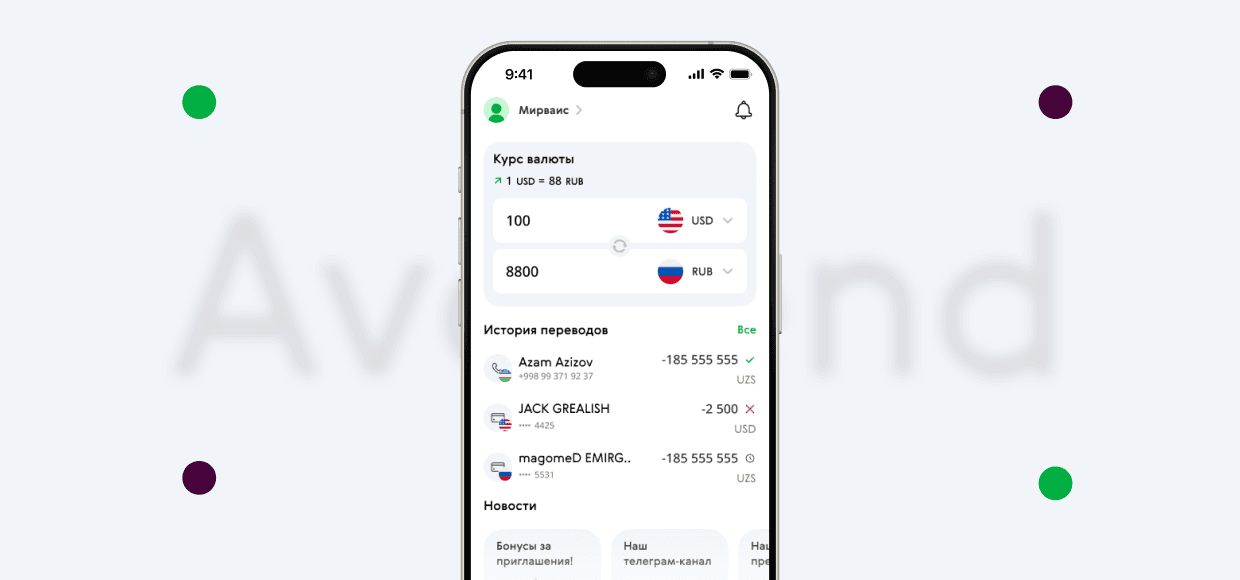
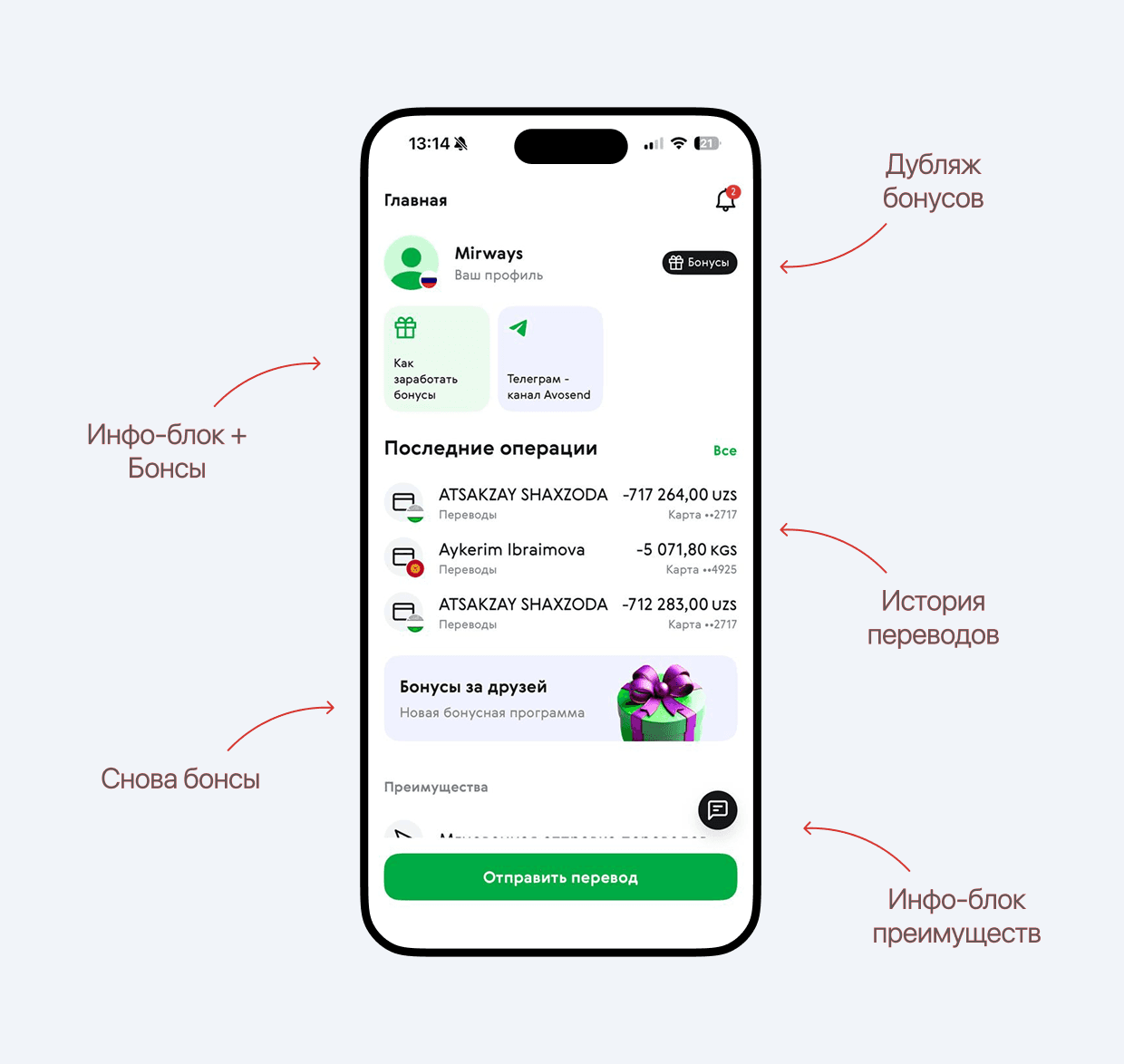
Redesign the main screen: remove unnecessary elements, highlight the main functions, combine duplicate blocks and make a visual grouping.
Improve the UX of the money sending page: auto-quotes, input fields, validation, and error minimization.
To put the payment history in order: clear structure, filters, grouping by time / currency.
Competitive analysis
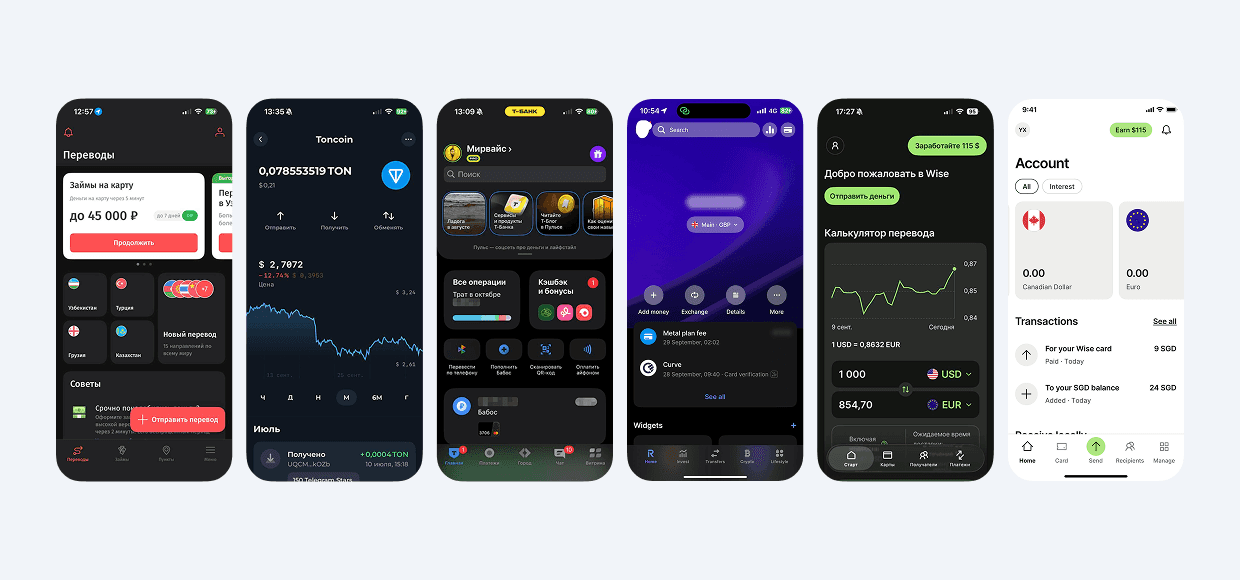
I analyzed the screens of similar products to highlight the best UX practices.
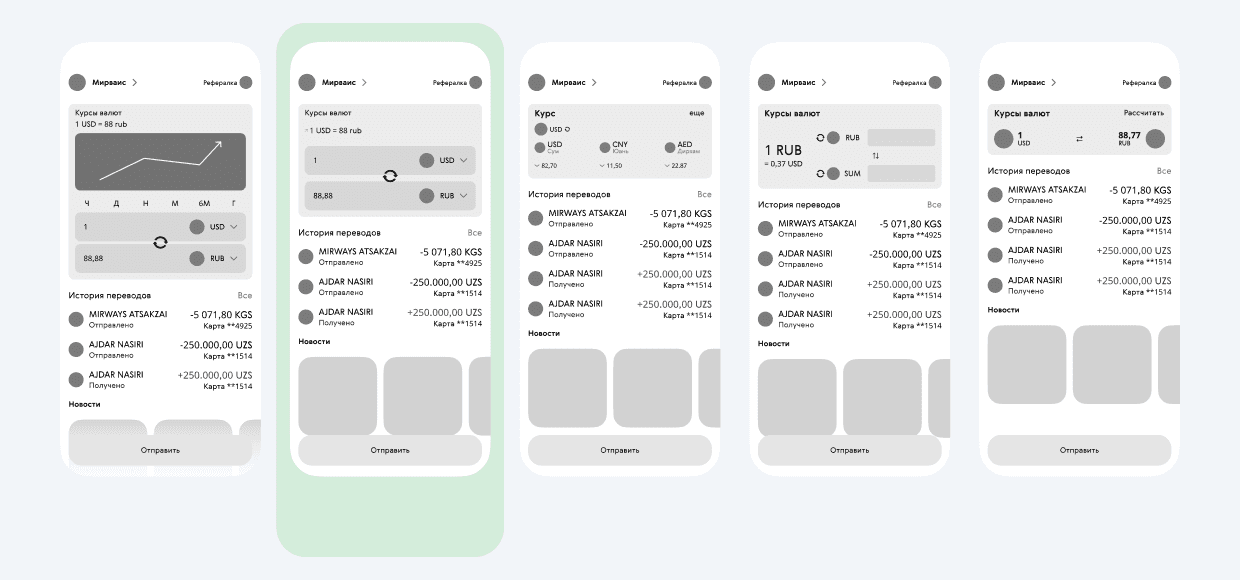
I have created several layout options for the home screen and sending banking details.
User Survey
Based on an analysis of the main application screens and a survey of 30 people (foreigners in the Russian Federation who transfer money to their country), I identified a function that would be useful and developed a prototype.
Main Screen
It is important for users to quickly determine the conversion amount without unnecessary graphs. Therefore, out of all the prototypes, the 2nd option was chosen.
Users mostly send funds to one country for a long time, so displaying the courses of several countries is inappropriate (it is better to go to the courses website according to users)
Decision
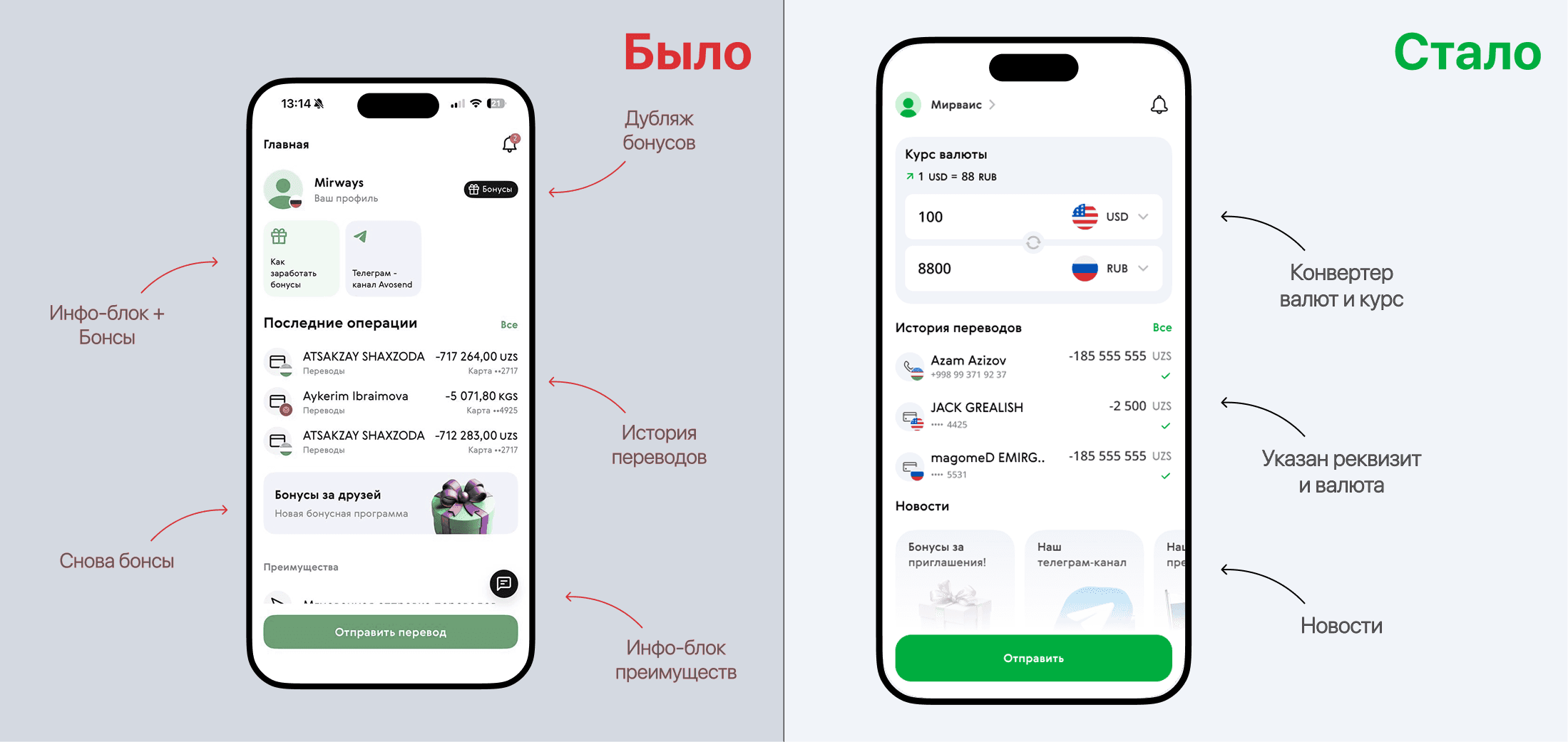
The exchange rate and currency conversion block is made succinctly on the main screen.
The transfer history now displays the transfer status, and the recipient's banking details are displayed under the FI.
The news is at the bottom of the screen so as not to bother your eyes.
Recipient's data entry and transfer history
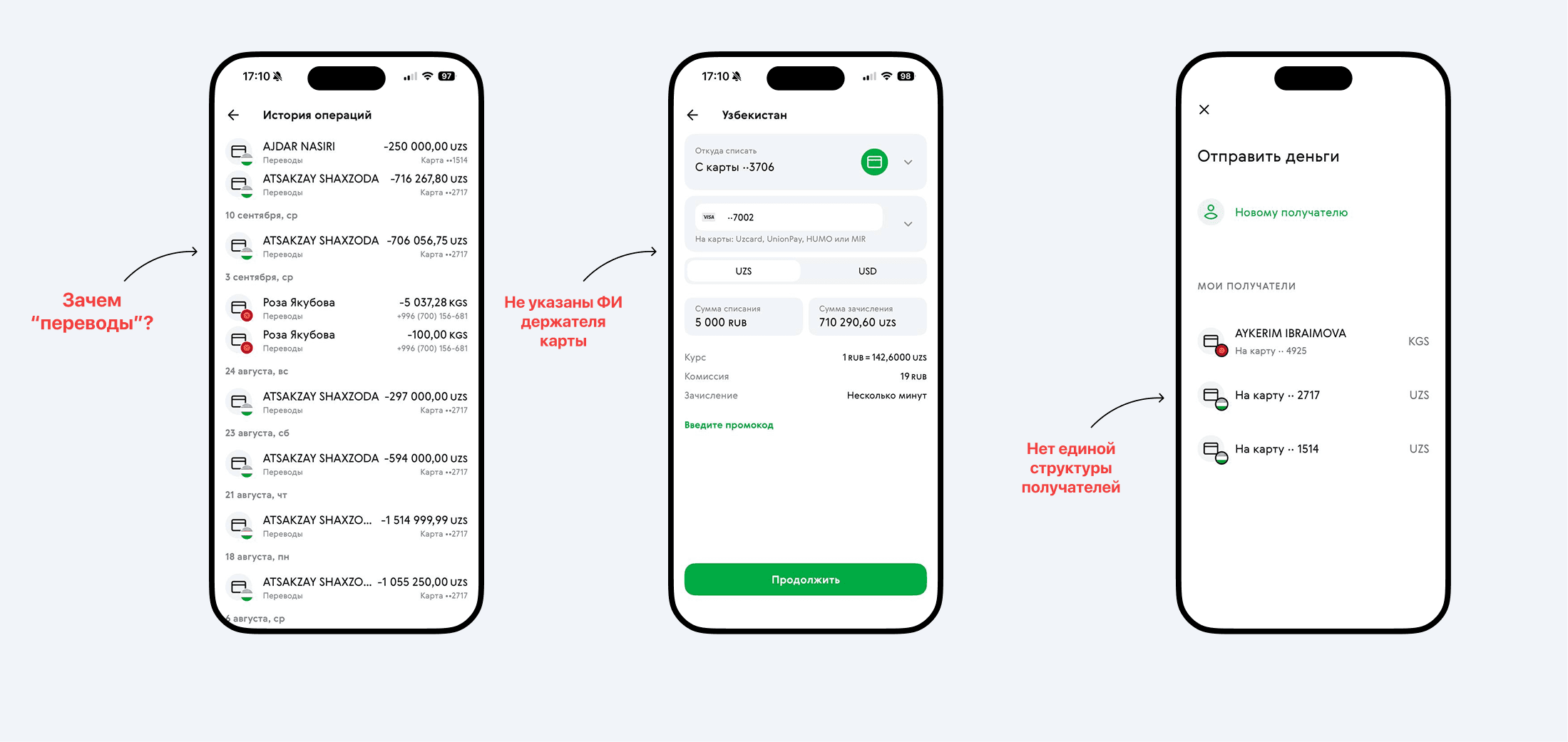
On the screen on the left “History of operations". Next to the recipient's name is the word “Transfer”. What for? And so all the functions in the application are aimed at translation.;
The screen is in the middle: There is no FI when entering card data on the screen in the middle. It is unknown to whom they are being sent. The FI appears only after sending the money on the transfer history screen.;
The screen on the right “to whom to send money”: the details of early recipients are displayed differently.
Stransaction Page
Added a cardholder line when entering numbers.
The interval between the card entry block and the transfer amount has been increased, the promo code entry field has been grouped by meaning and changed (people hardly use promo codes, but it doesn't hurt to make the design more aesthetically pleasing and in a uniform style)
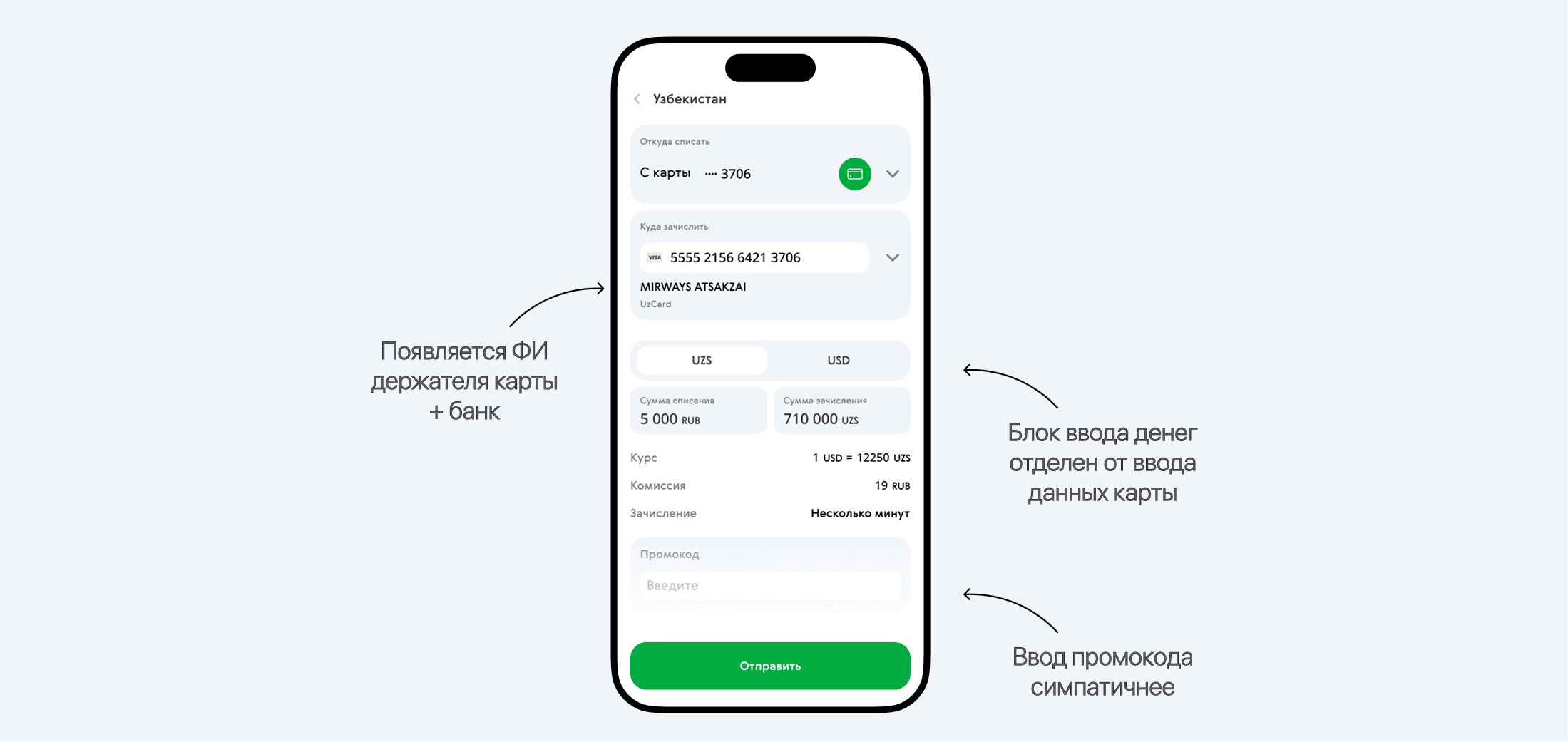
Added a cardholder line when entering numbers.
The interval between the card entry block and the transfer amount has been increased, the promo code entry field has been grouped by meaning and changed (people almost do not use promo codes, but it does not hurt to make the design more aesthetically pleasing and in a uniform style)
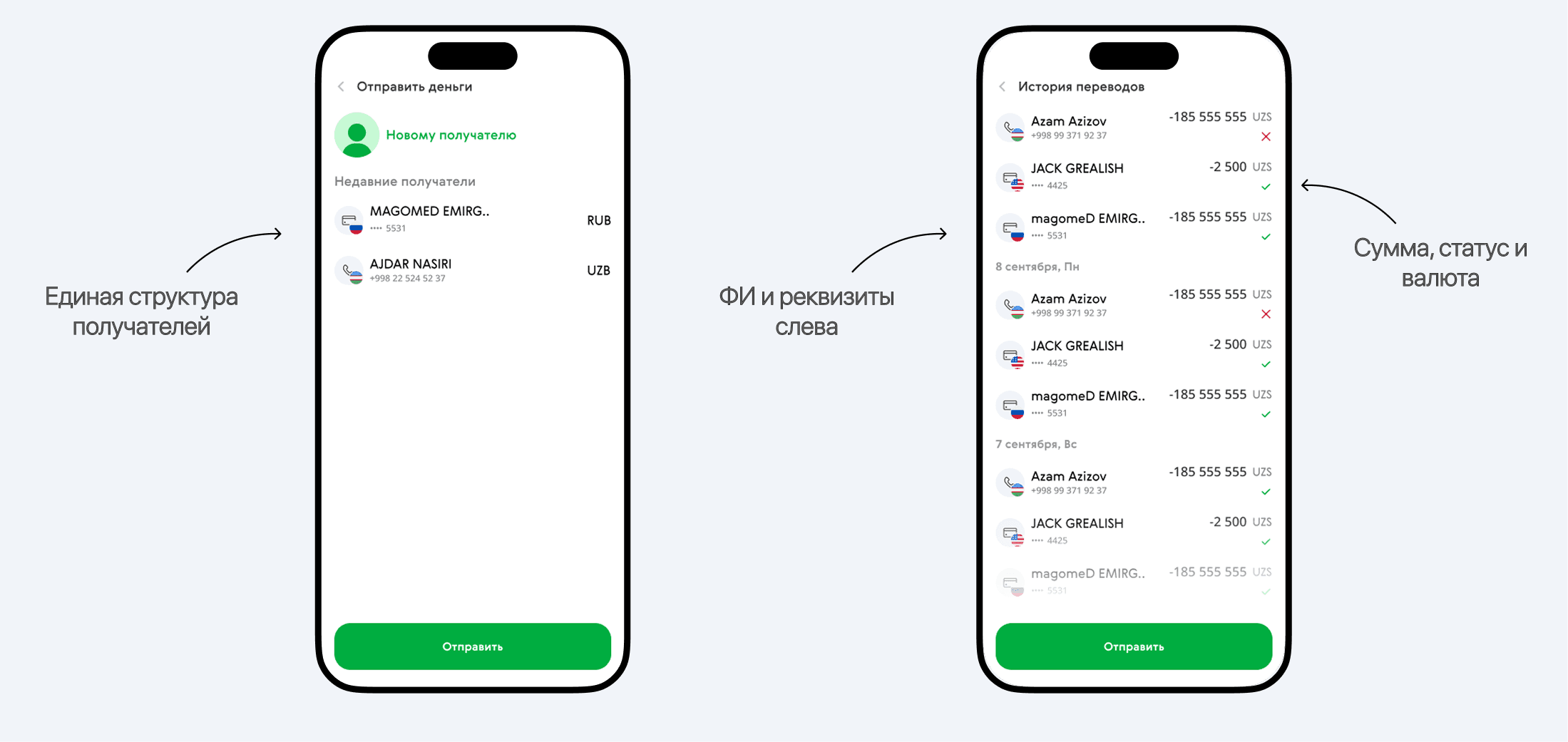
The recipient panels have a single data display style on the left: FI and details. In addition, the user can now see which transfer has which status. For convenience, the number and currency are separated, so as not to make sense of each element (numbers separately, currency separately, but in 1 group).
Thanks for watching the case!
I will be glad to work with you!